9. Build a Useful Project Knowledge Base
What you will be able to do
You will separate intended behavior, sourced facts, design choices, and actual observations; connect them with a few useful links; and repair a contradiction without erasing its history. Start with CP02 and the README skills from Chapter 8. Your deliverable is a coherent set of project documents that a returning engineer or a new agent session can inspect. The exercise uses manufacturer documentation and synthetic software evidence, so physical hardware is optional.
Four kinds of information
A note saying “the monitor clears at 27 degrees and works” compresses several questions into one vague assertion. Is 27 degrees a requirement? Is it the observed behavior of the current code? Which starting state was used? Was the input synthetic? Did anyone run the program? Good project context separates these questions before asking an AI system to reason from them.
A requirement describes intended behavior that can be checked. A hardware fact describes the selected device according to a named source. A decision records a choice made by the project and its rationale. A result records an observation from a particular procedure. These categories can support one another, but they are not interchangeable. A requirement does not establish that the implementation meets it, and a product page does not establish that your wiring is correct.
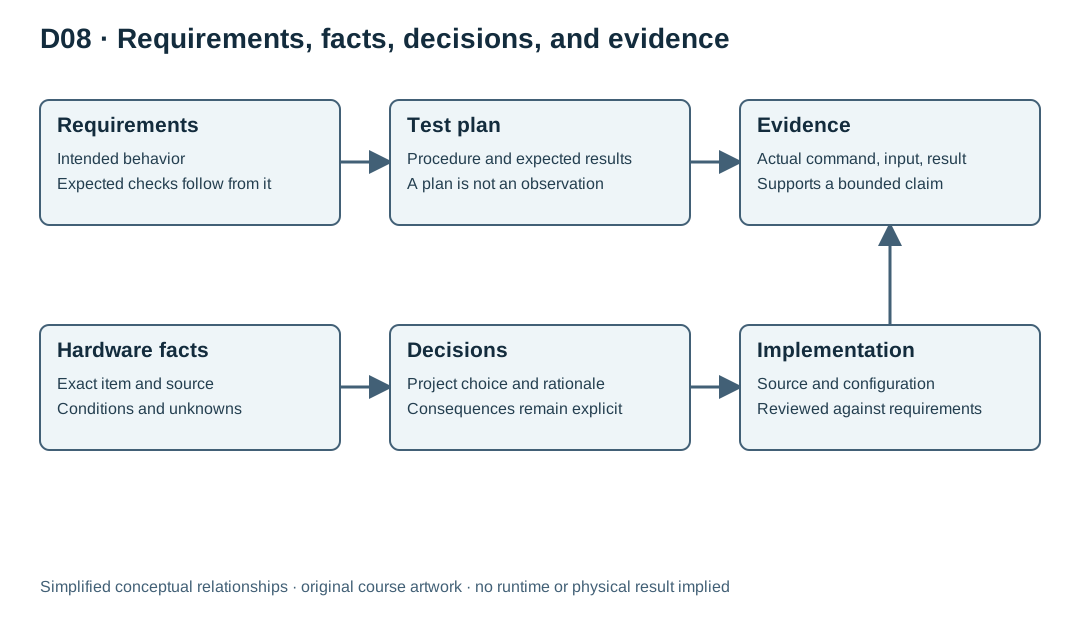
For Sensor Monitor's planned capstone, “enter ALERT at or above 28.0 °C” is a software requirement. The selected example board's identity belongs in the hardware reference. Keeping future threshold changes in RAM is a project decision with consequences for reset behavior. Output produced by running a specified input is a result. Figure D08 maps these relationships: requirements guide tests, hardware facts constrain implementation, decisions explain choices, and results support bounded claims.
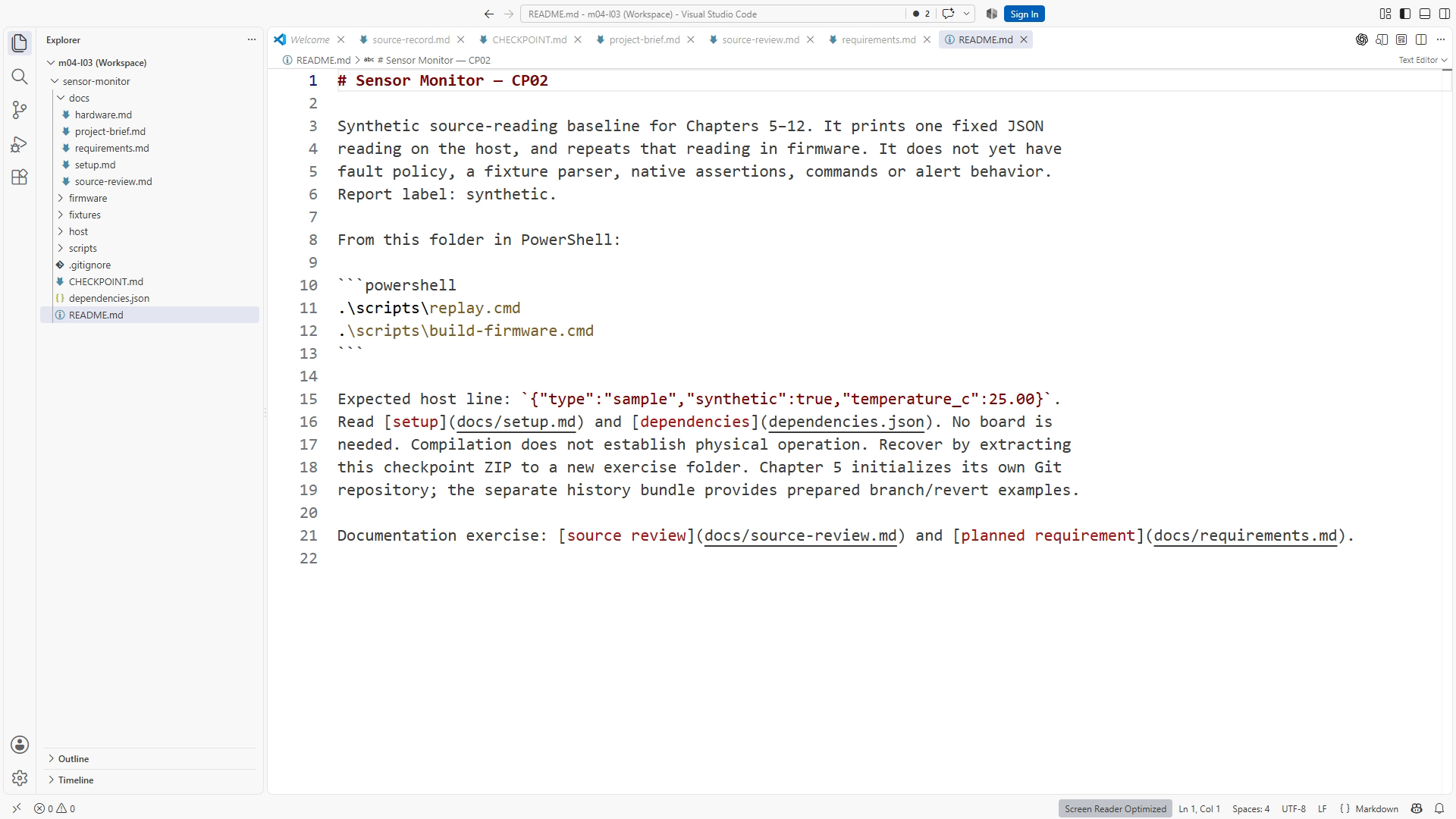
The useful knowledge base is small enough to inspect. CP02 supplies README.md, docs/project-brief.md, and docs/hardware.md. Read those first. As you write meaningful content in this chapter, add the other records; do not expect them to exist in the untouched checkpoint. The resulting set uses five documents under docs: requirements.md, hardware.md, decisions.md, evidence.md, and handoff.md. Create a separate test-plan document only if the plan becomes difficult to navigate inside the existing structure. The filenames are less important than giving each important statement an identifiable home.
Start with a project brief
The README or an opening section of docs/requirements.md can hold the brief. Explain purpose, scope, and acceptance. CP02 prints a fixed synthetic host report and provides a minimal sketch for the documented target. Shared policy and fixture-driven replay begin at CP05. Name that later architecture as a planned milestone, preserving the distinction between current behavior and the destination.
Describe exclusions only when they protect understanding of the project. A reader might reasonably expect a sensor monitor to include a wireless dashboard or physical measurements. State that the core exercise uses terminal output and does not require board ownership. Avoid a long list of every feature imaginable. Scope is useful when it prevents a plausible misunderstanding, not when it becomes a catalogue of things the project has never considered.
Give requirements stable identifiers when later records need to refer to them. For example, R04 identifies alert entry at the threshold, while R05 identifies hysteresis. A stable identifier survives improved wording and helps a reviewer follow the relationship between a test and its purpose. It is not a substitute for clear language: “meets R04” means little unless R04 itself states an observable condition.
Write boundary behavior explicitly. “Alert when hot” leaves equality undefined. “While in NORMAL, enter ALERT when a valid input temperature is at least 28.0 °C” tells a tester what to expect for 27.9, 28.0, and 28.1. Hysteresis also needs a starting state: while already in ALERT, clearing at or below 27.0 is different from deciding the state of a first sample. Record the condition that makes the requirement meaningful.
Identify the exact hardware reference
Family names are useful for searching, but they are weak evidence for a board-specific setting. “ESP32-S3 Feather” can be insufficient if products differ in memory configuration or circuitry. The documented example target is the Adafruit ESP32-S3 Feather product 5477, described as the 4 MB flash / 2 MB PSRAM variant. The manufacturer product page and the board guide are starting references for checking identity and board-specific details.
The example sensor is the Adafruit BME280 breakout, product 2652. Its product page identifies the breakout; its guide supplies board-level usage context. A chip datasheet answers different questions, such as register definitions and measurement specifications. Keep breakout, chip, and host-board sources distinct so a claim about one is not silently transferred to another.
Use a compact table containing the item, exact identity, source, source section or revision, and open questions. “Revision not established from supplied material” is a valid entry. An empty cell invites a later reader or agent to assume that the detail was forgotten rather than intentionally unresolved. A confidence label should explain its basis: “documented in product identification” is more useful than a naked percentage.
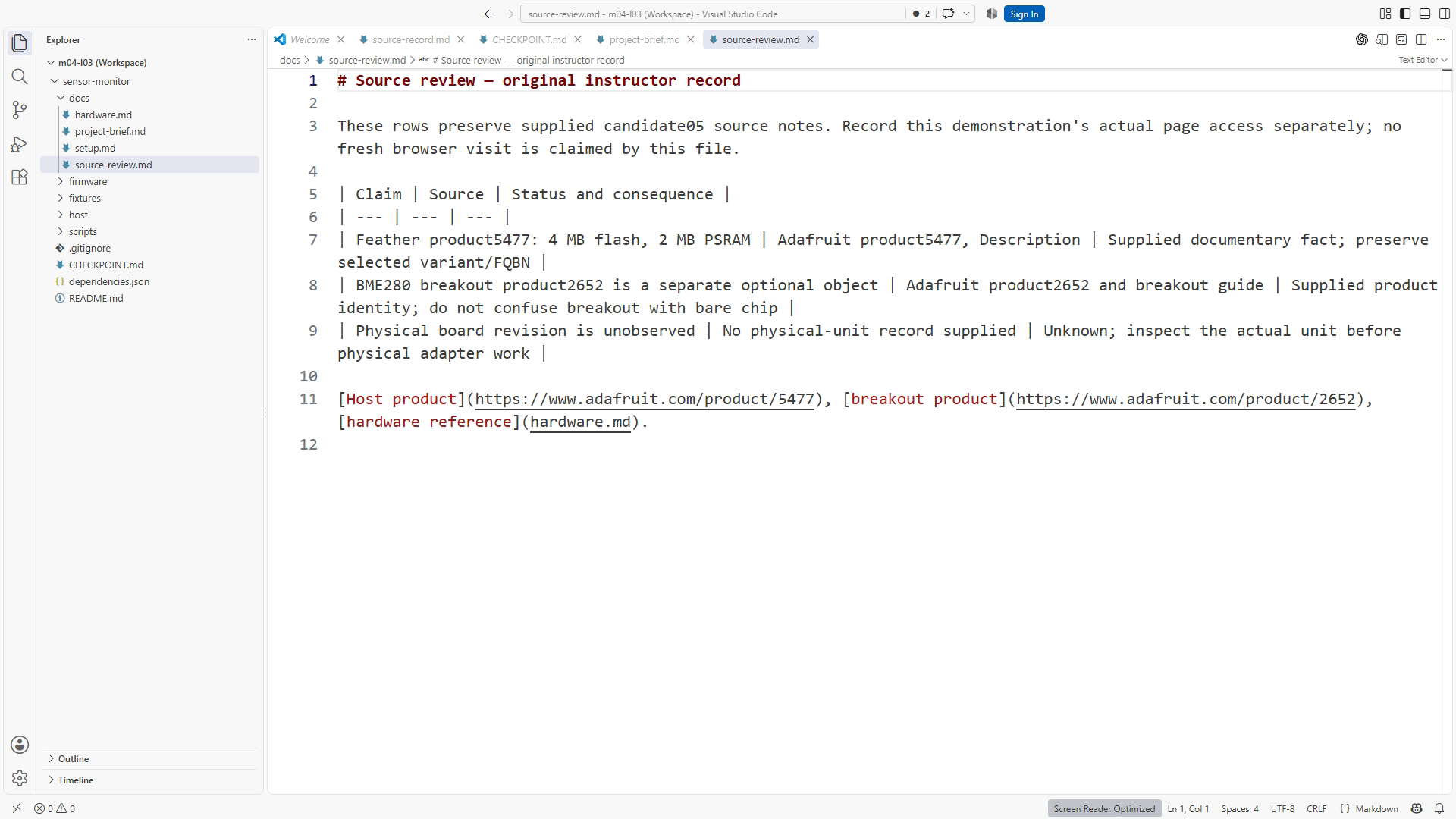
Do not fill pin mappings from a familiar board in memory. A source may establish the existence of a connector without establishing every initialization step needed by its switched power circuit. Record what the source actually supports and the consequence for the project. If exact revision evidence is missing, say what must be checked before the optional physical build. SS09-02 focuses on this connection between identity, source, and uncertainty.
Cite enough to find the claim again
A useful source entry lets someone relocate the evidence after the conversation has disappeared. Record the publisher, title, direct URL, relevant section or page, access date, and revision if the source exposes one. For a local supplied excerpt, identify its origin and preserve the nearby conditions that affect interpretation. A number without its unit or operating conditions is often worse than no number because it looks precise while being incomplete.
Distinguish a quotation from your interpretation. You can paraphrase a source briefly and then write a separate consequence, such as “therefore keep this target option in the build wrapper.” The consequence is your engineering reasoning. Readers should be able to disagree with that reasoning while still agreeing on what the source says. Do not copy whole manuals into a repository merely to make the context larger; link to the source and preserve only material you have permission to redistribute.
Dates matter because a live guide may change. An access date tells a future reviewer when you checked it; it does not prove that the page was revised that day. Record “revision not stated” when appropriate. The project's tested tool versions belong in its release or dependency record, not as a guess inferred from the latest download page.
When sources conflict, first check whether they describe the same item and condition. A chip limit and a breakout-board input recommendation may differ without either being wrong. A different product variant may explain an apparent memory mismatch. If the discrepancy remains unresolved, preserve both references and keep the affected claim open. Averaging conflicting values or choosing the more convenient one is not a resolution.
Decisions explain why the project looks this way
A decision record should be short enough to read during an edit. Give it a title, status, date, context, choice, alternatives considered, and consequence. For example, “Use host replay for the required core demonstration” explains that the course needs reproducible software checks without physical equipment. The consequence is an explicit limitation: replay does not establish electrical behavior, actual sensor readings, or device timing.
A good decision can later be replaced. Mark the old record superseded and link to the new one if the rationale changes. Do not quietly rewrite history so that every past choice appears inevitable. The purpose is to help the next engineer understand which assumptions remain active and which no longer apply.
Separate project choices from manufacturer facts. “Use a 28.0 °C teaching threshold” is not a BME280 calibration specification. “Keep configuration in RAM” is not a limitation imposed by the processor. Mixing these categories can cause an agent to defend a convenient default as if it were an immutable hardware constraint.
The decision record is also a place to capture a tradeoff without overbuilding. A single maintained build wrapper may be easier for learners than several platform-specific commands copied into every document. That choice creates a responsibility to keep the wrapper readable and record its dependencies. It does not require a new framework or a complex document approval system.
A test plan is not a test result
The test plan describes what you will do and what would count as success. Write expected outcomes before looking at the current implementation. For threshold entry, an expected state at exactly 28.0 follows from the requirement. If you derive the expected value by copying the code's comparison, the test may repeat the same mistake as the implementation.
A result adds the actual command, checkpoint or source identity, input source, environment, exit status, relevant output, date, and interpretation. Name CP02's fixed sample; identify a fixture when the later adapter actually reads one. Record limitations. “Host test with synthetic input” is clear; “sensor verified” is too broad. A cross-build and host test can both pass while a physical connection is absent.
Use evidence pointers rather than burying every line of output in a central document. docs/evidence.md can summarize a run and link to a saved log in the appropriate evidence location. Preserve the actual log, including a failure that led to a correction, when it matters to the explanation. A summary is for navigation; the underlying output is what lets another reviewer check the claim.
Treat an AI statement such as “tests should pass” as a prediction. Even “tests passed” needs a visible command/result or an accessible saved record. Ask which command ran, against which source, and where the output is. If the record is missing, change the statement to “not established by this record” and rerun the relevant check when possible. Do not manufacture a log to match a confident answer.
Worked example: connect behavior to evidence
As a look ahead to the later capstone, suppose a proposed change adjusts threshold entry. This planning example does not require CP02 to contain the later assertion suite. Begin with R04 in requirements.md: while in NORMAL, valid temperatures at or above 28.0 °C enter ALERT. Startup and FAULT recovery have their own requirements; this example does not bypass them. In decisions.md, note that the threshold is a teaching default and is not a claim about sensor calibration. In hardware.md, retain the exact example target without inventing a causal link between that target and the chosen threshold.
The planned host cases use inputs immediately below, exactly at, and immediately above the boundary. Each expected outcome is derived from R04. A result record then reports what actually happened when the supplied test wrapper ran. If the equality case fails, the record should say so. That failure can be valuable evidence that the test detects a meaningful defect.
Now consider a proposed summary: “The board alerts correctly at 28.0.” This statement exceeds the evidence if only host tests ran. Replace it with “The shared policy's host test accepted the specified equality behavior for the recorded source and synthetic cases,” if that is what the run actually establishes. The revised statement is more informative because it names both the success and its boundary.
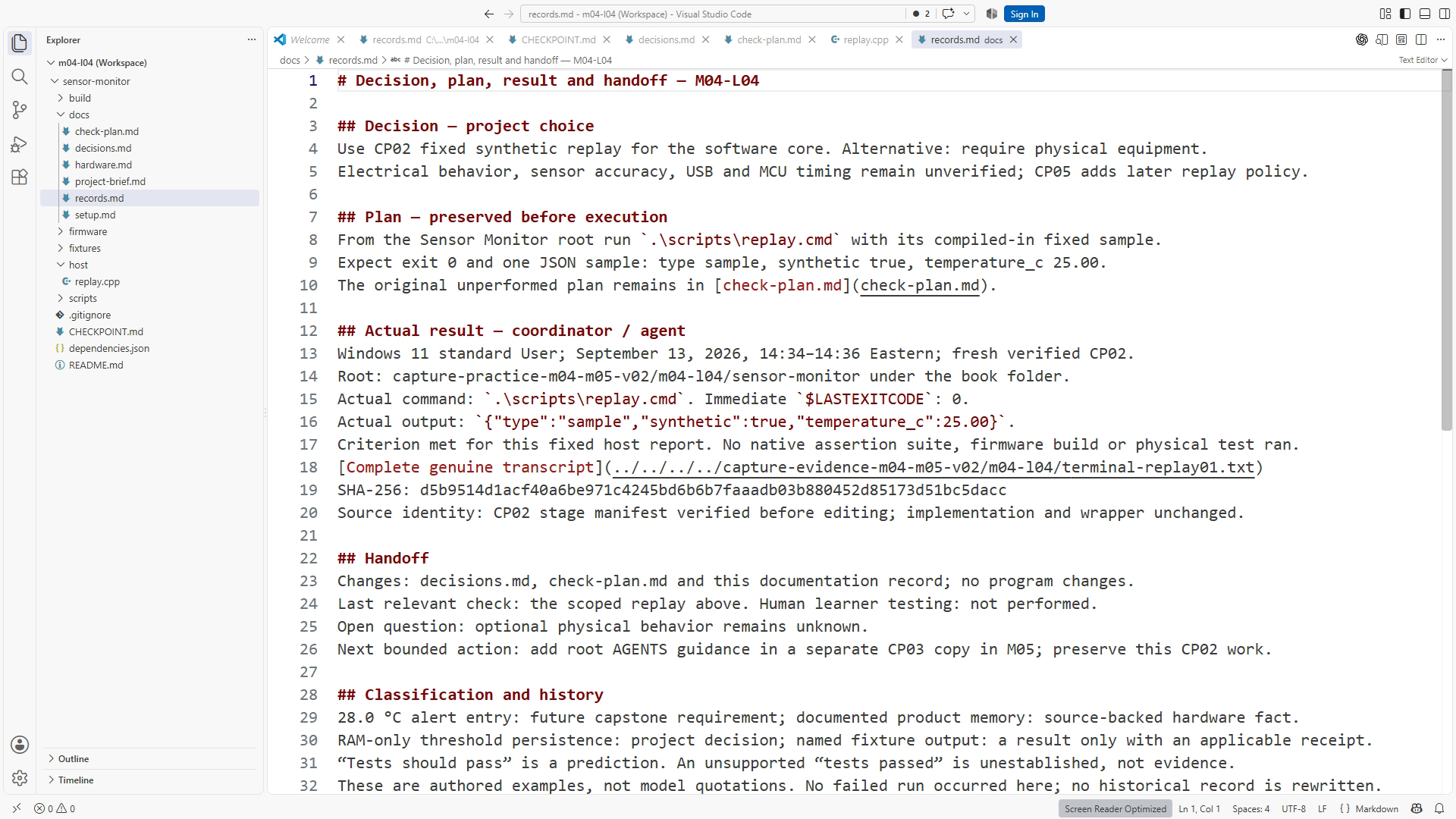
SS09-03 illustrates the distinction between a decision and a result. The text of an actual run may differ from this example. A teaching caption should describe the visible record, not rewrite it into the result an author hoped to obtain.
LAB09: repair conflicting context
Allow 35–50 minutes. Use a new CP02 exercise folder. Read README.md, docs/project-brief.md, and docs/hardware.md. Create or update docs/requirements.md, docs/decisions.md, docs/evidence.md, and docs/handoff.md only with the populated content taught in this chapter. Label future threshold requirements planned; CP02 does not implement them. Preserve the supplied version before editing. Create an exercise note that records the starting checkpoint and the documents you inspect.
- In a disposable copy of
docs/hardware.md, seed the claim “The selected product 5477 has 8 MB flash.” Label the exercise note as an intentionally seeded fault so it cannot be mistaken for reference truth. - Open the manufacturer's product page for product 5477. Confirm that the page identifies the intended product, then locate its memory description.
- Compare the seeded sentence with the selected target's source. Correct the active hardware reference to the documented 4 MB flash / 2 MB PSRAM identity, adding the source and relevant location.
- Search the exercise documents for the stale 8 MB claim and the product identifier. Update references that actually describe this selected target. Do not globally replace unrelated numbers.
- Add a brief decision or correction note explaining that a variant mismatch caused the contradiction. Keep the exercise's fault record separate from current guidance.
- Read the resulting linked documents in order and review the diff. Confirm that the change corrected the fact without inventing a board-observed result.
Submit the corrected context and an evidence note with source, claim, correction, and remaining unknowns. The exercise tests source resolution, not possession of the physical board. A source that cannot be accessed is an open dependency; use the release's permitted source notes and record that limitation rather than fabricating a browsing result.
Failure and recovery: stale context survives the correction
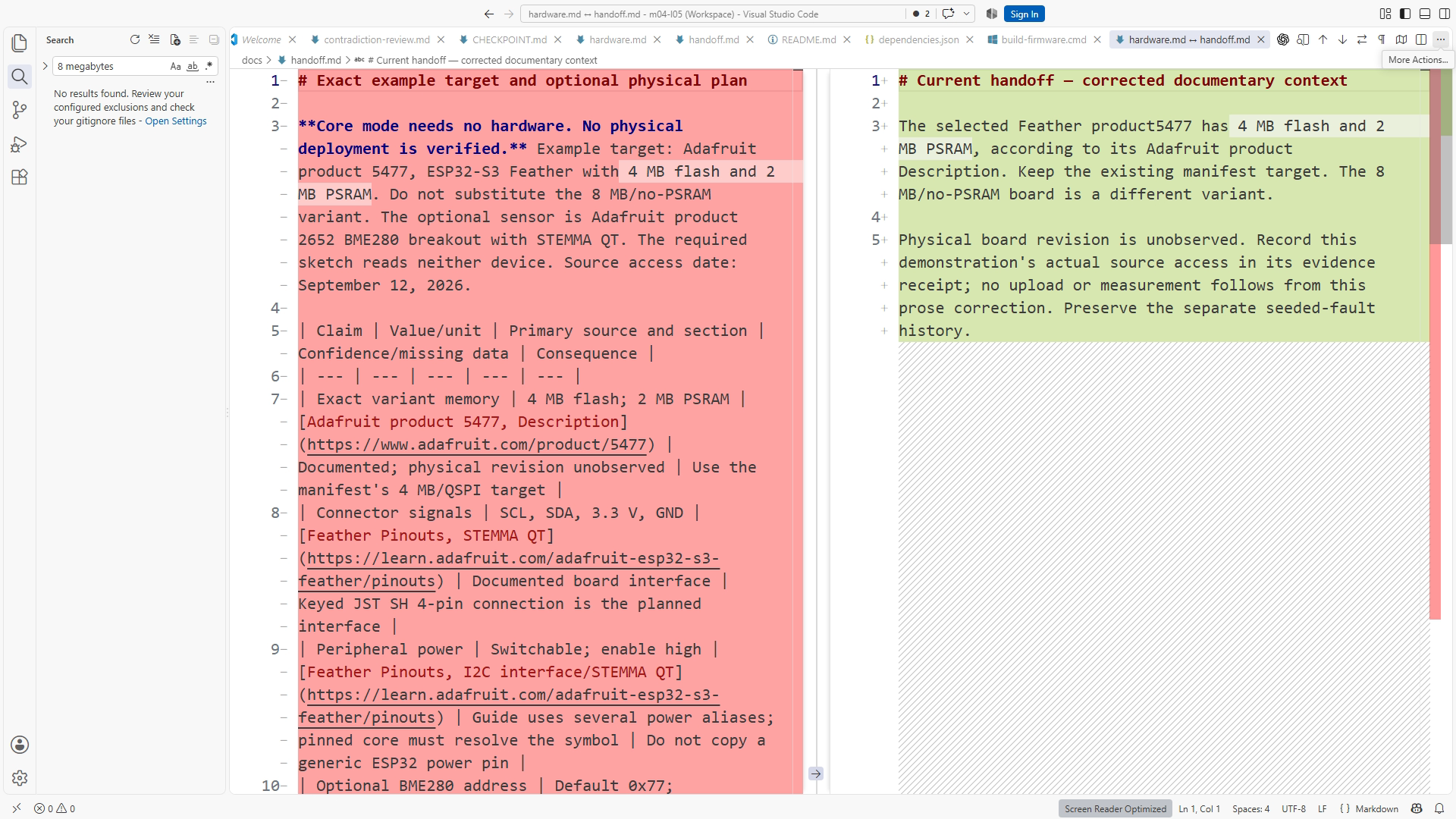
A common repair changes the main hardware table but leaves a contrary instruction in a handoff. The next agent reads the handoff first and repeats the old assumption. Recovery therefore includes searching for the identifier and stale claim, deciding which records are current, and linking historical records to the corrected source. SS09-04 focuses on that reviewable correction.
Do not solve this by deleting all old records. An old result can remain accurate for the old configuration. Mark its scope and prevent it from presenting itself as current guidance. A present-tense hardware reference and a dated historical test record serve different purposes and can coexist without conflict when their labels are clear.
Handoff without the old conversation
End a work session with a short handoff: current checkpoint, active task, reviewed changes, last relevant checks with evidence pointers, unresolved questions, and the next bounded action. “Continue improving everything” is not a useful next task. “Resolve the missing document revision before extracting pin constraints” gives the next session a concrete uncertainty to address.
Arbitrary Markdown files are not automatically loaded by every agent. A well-written handoff.md still needs to be named or linked from guidance the tool discovers. In the next chapter, AGENTS.md directs Codex to the right project references. Context organization and context discovery are related but separate jobs.
Completion check, questions, and transfer
Complete the chapter when each important statement has a clear category, source-dependent claims have traceable references, the seeded contradiction is resolved across current documents, and observed results remain separate from plans. Explain D08 aloud using one requirement, one hardware fact, one decision, and one result.
Is “use 28.0 °C” a hardware fact? No. Here it is a project requirement or decision. It does not describe sensor accuracy or calibration.
Can a test plan say that a feature works? It can state the intended acceptance condition. An actual result is needed to support an implementation claim.
What if a revision is missing? Record that it is not established by the available material and identify what source would resolve it. Do not invent a revision.
Why keep historical failed results? They can show the original defect and the effect of the correction. Their date, source identity, and status prevent confusion with current guidance.
Does saving a Markdown file make every agent read it? No. Discovery is host-specific. Name or link the relevant file and verify that the intended workflow uses it.
For transfer, choose one disputed fact in your own project. Trace it to the exact source, record the consequence, and find every current document that repeats it. Then write a handoff that another session could use without your conversation. This is a small knowledge base doing useful work: reducing the number of assumptions that must be rediscovered.
Sources and figures
Primary hardware references: Adafruit product 5477, ESP32-S3 Feather guide, product 2652, and BME280 guide. Source checks are dated in the accompanying release evidence. Project behavior comes from the Sensor Monitor requirements and matching test artifacts. Figures: SS09-01 document tree, SS09-02 sourced facts, SS09-03 decision/result, SS09-04 contradiction correction, and D08 context relationships.