M05-L01 — Give the agent project instructions
Create concise root guidance that directs an agent to the right context and relevant validation. Begin with a preserved CP02 project whose setup and available replay/build commands are understood. The outcome is a reviewable AGENTS.md, not yet a passing behavior test.
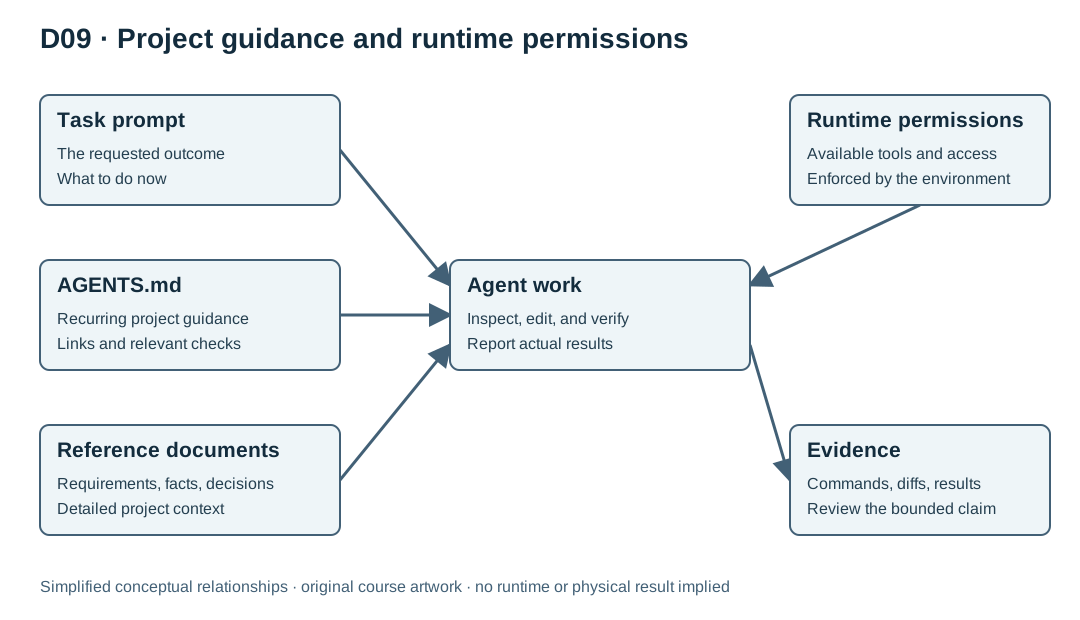
The task prompt states the current request. Project instructions state recurring expectations. Reference documents hold detailed facts. Runtime permissions control actual operations. Keep those roles distinct. A sentence in Markdown cannot create a compiler, grant network access, or securely restrict filesystem access.
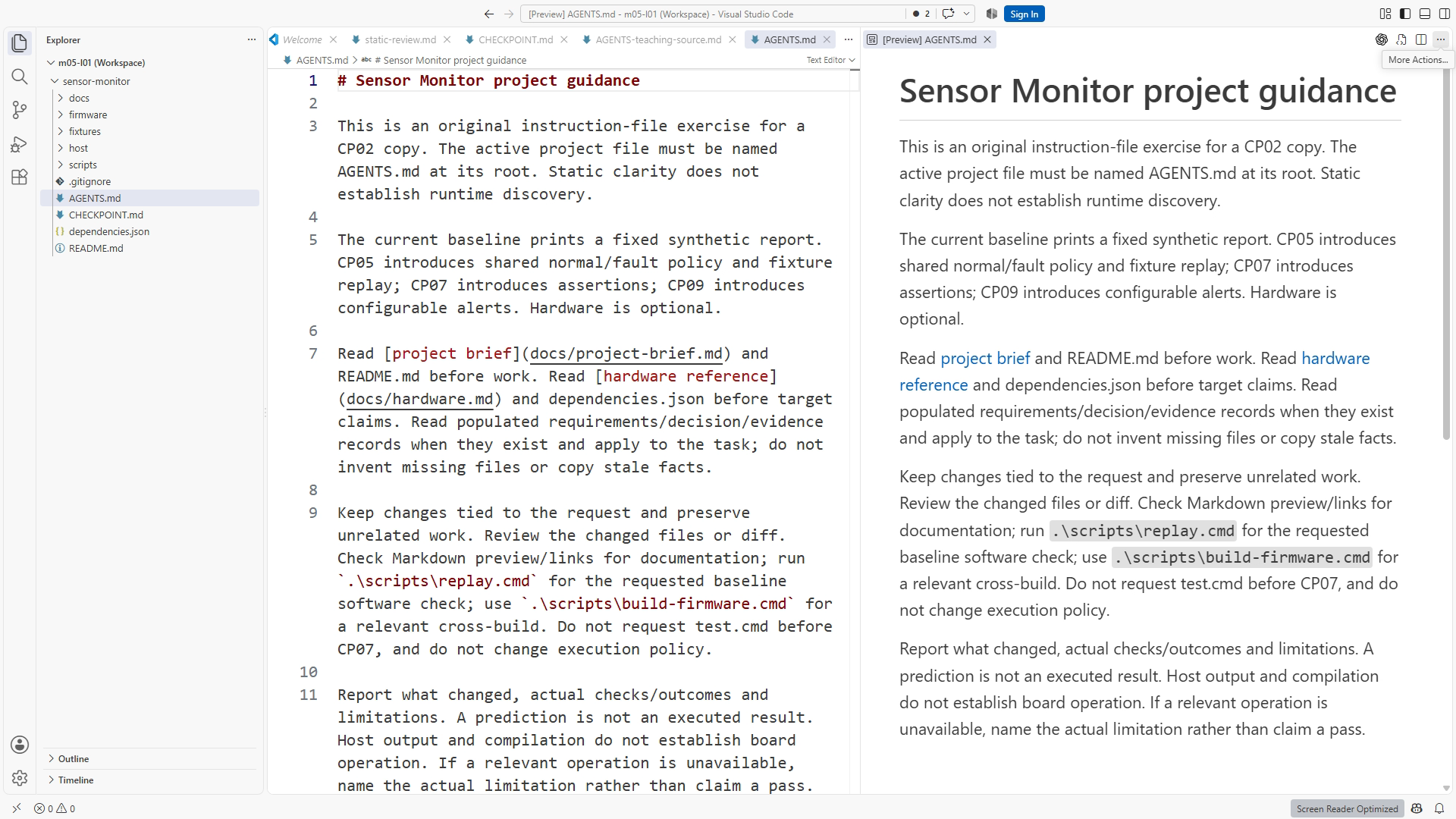
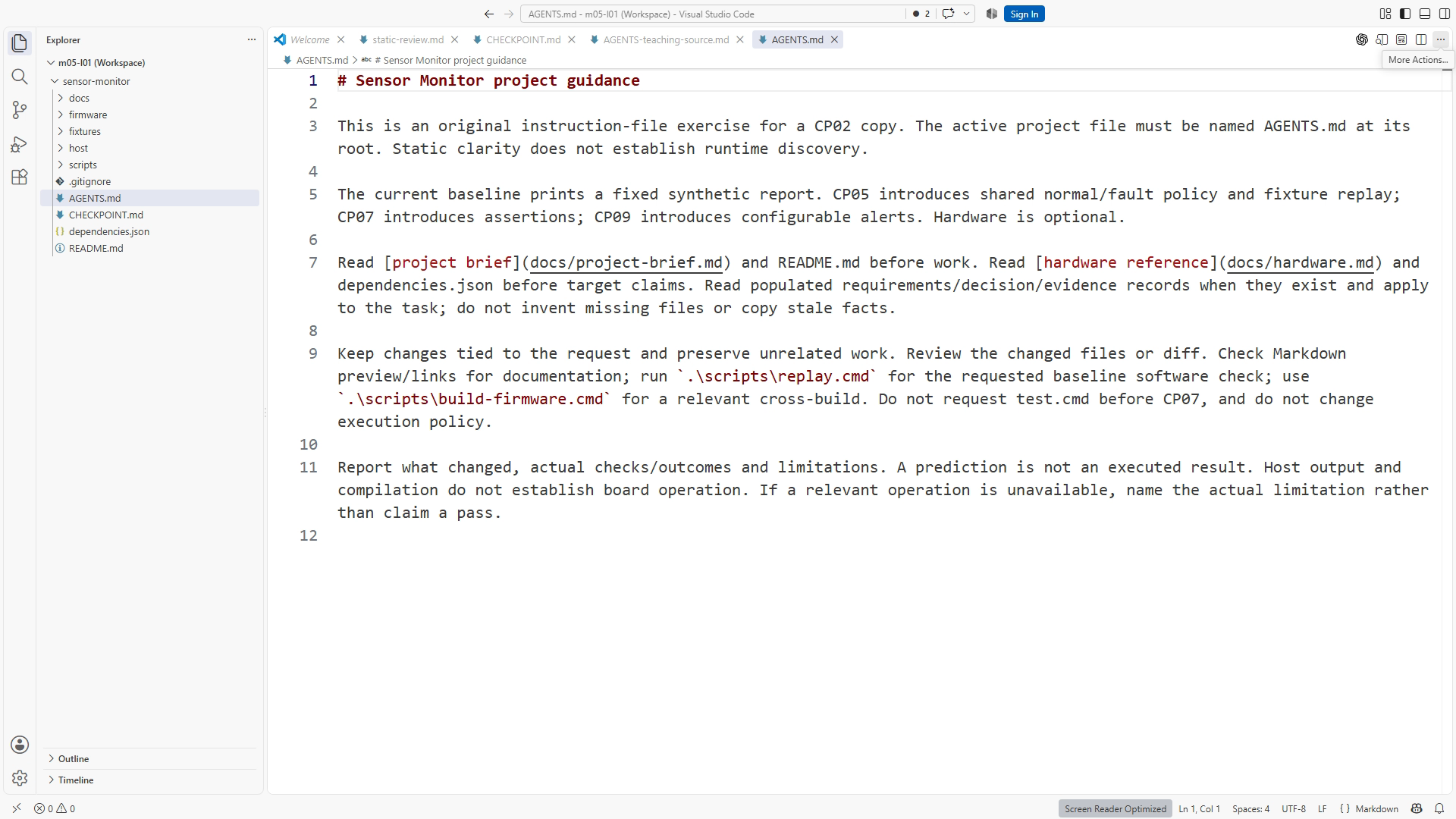
Use the exact filename AGENTS.md at the Sensor Monitor root. Confirm the active folder and avoid a hidden .txt extension. The official OpenAI guide documents startup discovery and layered guidance; inspect the active interface and begin a fresh task when testing changes. Start with one root file rather than adding nested rules without a real need.
Write guidance with triggers, actions, and evidence. “Be careful” is vague. “Read requirements before policy changes; run the maintained host checks after shared C++ changes; report actual results and limitations” can be reviewed. For a fresh early checkpoint, link to docs/project-brief.md and docs/hardware.md. Add links to requirements, decisions, and evidence only when those populated files exist in your continued exercise copy. Keep the exact target/tool pins in dependencies.json.
The supplied Windows checks use reviewable project wrappers:
.\scripts\replay.cmd
.\scripts\build-firmware.cmd
Run from the project root after the documented setup. The checks have different meanings: replay behavior for supplied synthetic input versus compilation for the selected target. Host assertion tests are available at CP07 and later through .\scripts\test.cmd. Do not require unrelated expensive checks after every wording edit. Do require an honest statement when a relevant check could not run.
Include bounded work expectations: keep changes tied to the requested outcome, inspect the diff, and preserve unrelated work. State that the core uses synthetic input and that physical upload, wiring, and measurements are separate optional work. These instructions express intent; the host still enforces its actual permissions.
Compare your file with the checkpoint's maintained guidance. Remove duplicated detailed facts and conflicting broad phrases. Figure D09 helps explain the separation of roles. Your final artifact should be short enough to read before a task, specific enough to test, and linked to the current project documents.
Resources and completion
Use the Sensor Monitor CP02 download and its README.md; project paths in this lesson are relative to that root. Read Chapter 10 for the full lab and explanatory review answers. Figure IDs: SS10-01, SS10-02, D09. Primary references: OpenAI AGENTS.md and OpenAI build skills. Complete the exercise, preserve actual evidence, and use the separate instructor answer key for self-check after attempting the task. Narration scripts are production sources; final transcripts must match the actual narrated edit.
Recording transcript
A task prompt explains what you want now. Project instructions explain what usually matters in this repository. In this lesson, we will write a concise AGENTS dot md file that points an agent toward the right context and verification. Start with your preserved checkpoint-two project. You should already understand the README, hardware reference, and the available replay and build commands.
Think about the information you keep repeating in coding requests. Read the requirements before changing policy. Use the exact board reference before making hardware claims. Keep the change bounded. Report actual results. These expectations are useful across tasks, so they deserve a maintained home. Repeating them from memory in every prompt makes it easy to omit one when the work becomes interesting.
The instruction file should be a signpost, not a second copy of every project document. Detailed behavior belongs in requirements. Exact hardware facts belong in the hardware reference. Tool and target pins belong in the dependency record. The instruction file tells the agent when to consult these sources and what evidence to provide when it finishes.
Create the exact filename AGENTS dot md at the Sensor Monitor root. Confirm that the editor has not added a hidden dot txt extension. Check the active folder too. A correct file in a neighboring exercise copy does not guide the task you opened elsewhere. The root is the folder containing the project's README, scripts, firmware, host, and docs directories.
Codex has documented rules for discovering project guidance, including global and project-level files and more local overrides. The official reference is linked in the written lesson. For this course, begin with one root file and inspect the active interface when testing. We do not need nested instructions merely to demonstrate that they exist. A small repository is easier to reason about when its active guidance is visible in one place.
Open the conceptual diagram that separates four roles. The task prompt names the current outcome. Project guidance states recurring expectations. Reference documents contain facts and rationale. Runtime permissions govern actual operations. A Markdown sentence cannot grant network access, install a compiler, or securely fence off another folder. Guidance expresses intent; the environment supplies and controls capabilities.
Write the purpose in a short paragraph. The core project will exercise shared C++ logic with synthetic input and cross-compile firmware for a documented target. This early baseline currently prints a fixed synthetic report. This tells the agent why host replay exists and prevents it from treating a software result as a physical measurement. It also helps keep an ordinary documentation task from expanding into board upload or wiring work.
Next, add the context links. At this stage, read the project brief. Before policy changes in later stages, read the applicable requirements. Before board-specific claims, read the hardware reference. Use decisions for rationale and evidence for actual results once those populated documents exist. Do not add broken links to files absent from a fresh checkpoint. If the task concerns target settings, inspect the dependency record rather than remembering a copied string. A link is useful only when its destination exists and its purpose is clear, so check both.
Now turn a vague preference into an observable rule. Be careful with embedded code does not identify a check. A better instruction says to keep edits tied to the requested outcome, inspect the diff, run the relevant maintained command, and report its actual result. A reviewer can inspect the completed task and decide whether those actions occurred.
The current Windows entry points are the project dot cmd wrappers. Earlier checkpoints provide replay and firmware build. Host assertion tests arrive at checkpoint seven and later. The guidance must respect that progression. Do not direct a learner or agent to a test file that the current checkpoint does not contain. The written lesson preserves the exact commands, while the wrappers keep environment handling in reviewable project code.
Different changes need different checks. A documentation edit may need link and preview review. A replay-related change needs the appropriate replay check. A firmware integration change needs a cross-build. Later, shared policy changes also need the available host assertion tests. Requiring every expensive check after every punctuation edit creates noise, while silently omitting a relevant check weakens the evidence.
Add a completion expectation. The agent should report changed behavior, relevant checks, actual outcomes, and limitations. An announced plan to run a command is not an execution result. A host replay is not a board observation. If a required check cannot run, the report should name the exact missing dependency or limitation instead of supplying a decorative pass.
Include a bounded-work expectation. Keep unrelated useful work intact and confine changes to the requested outcome. A sentence such as improve everything whenever possible can turn a small fix into an unreviewable redesign. If the agent notices an unrelated opportunity, it can describe it separately rather than silently broadening the patch. This protects the usefulness of the final diff.
Read your file from beginning to end. For each instruction, name the recurring error it prevents and the behavior that would satisfy it. Remove duplicated detailed facts and resolve contradictions. If one line says use the maintained wrapper and another says skip checks to save time, the next task has inherited a conflict rather than useful guidance.
Your exercise is to create or revise the root instruction file and submit a static review. Confirm purpose, links, available commands, scope, and completion evidence. Compare it with the supplied project example without overwriting unrelated work. This lesson can establish that the file is clear and correctly placed. It cannot yet establish that a fresh agent session followed it.
That behavior test is the next lesson. We will ask for a bounded task without repeating every repository instruction, observe the actual actions, and inspect the evidence independently. The purpose of persistent guidance is to reduce repeated explanation while keeping engineering decisions reviewable. A concise file with a testable role is a stronger starting point than a long collection of broad promises.
Download transcript