M06-L01 — Read the exact board and sensor documents
Produce a short constraints table whose values can be traced to the correct object and source. Begin with CP04 and the constraints skill from Module 5. This lesson uses documentation only; ownership of the optional board and breakout is unnecessary.
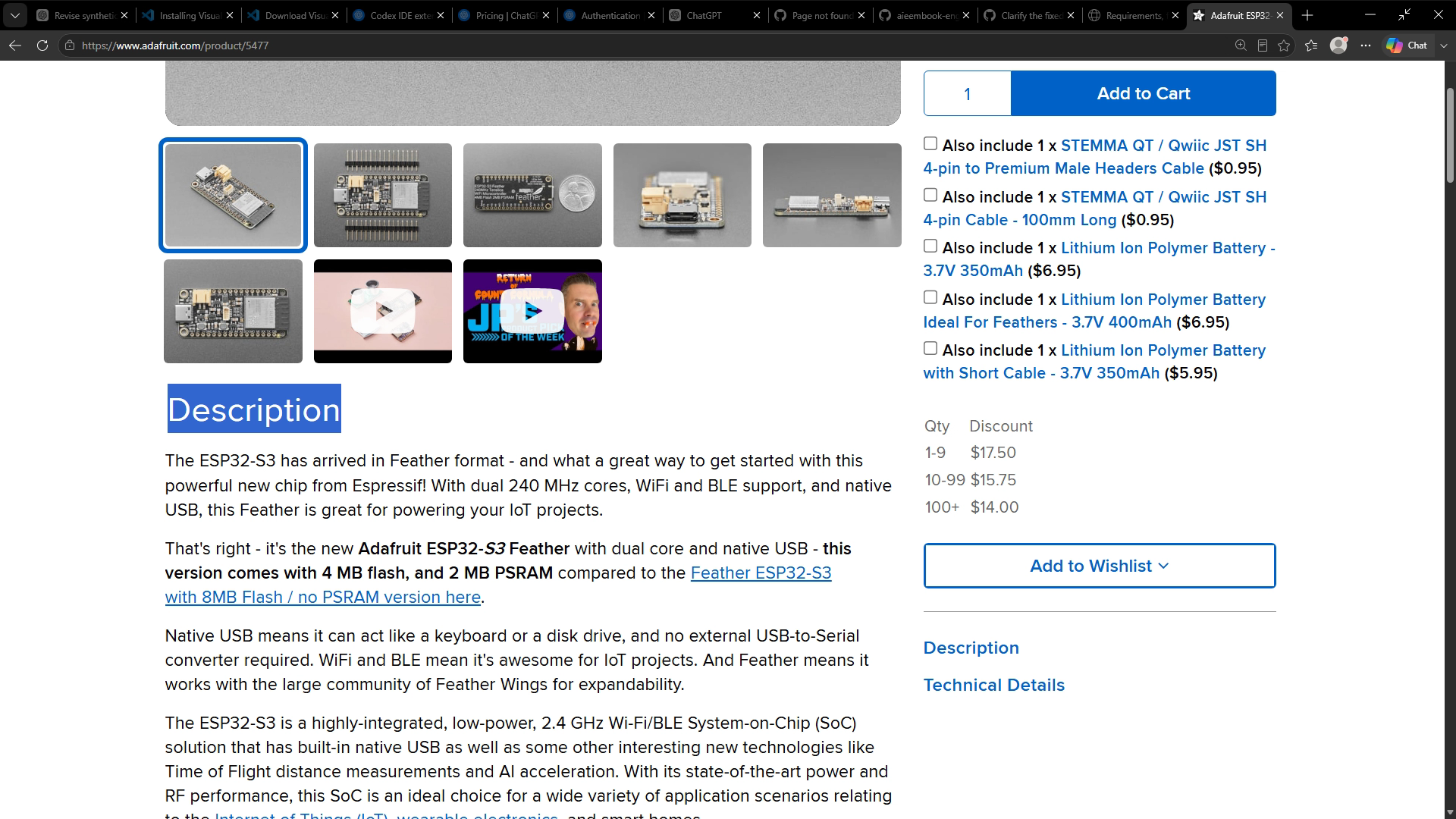
Start by writing the exact example identity: Adafruit Feather ESP32-S3, product 5477, with 4 MB flash and 2 MB PSRAM. The manufacturer distinguishes this from another memory variant. Copying a family name while losing the variant can select an inappropriate build configuration. Adafruit product 5477.
Separate four things in your notes: the sensor chip, the breakout containing it, the host board, and the pinned software support package. A chip supply specification describes the silicon's connection. A breakout can add a regulator and expose a different input. A host-board guide explains its connectors. A software variant determines which symbols and initialization apply to the selected build.
For example, the BME280 chip documentation and Adafruit breakout guide describe different supply connection scopes. Read the object and connection point before comparing their numbers. A breakout Vin allowance is not permission to apply that voltage directly to a bare chip. Bosch BME280 technical data, Adafruit breakout power pins.
Open docs/hardware.md and follow its primary links. Record document title, revision or pinned version when available, section, and access date. An access date says when you checked the page; it does not identify the revision of an unseen physical board. Use “physical revision not observed” until such evidence exists.
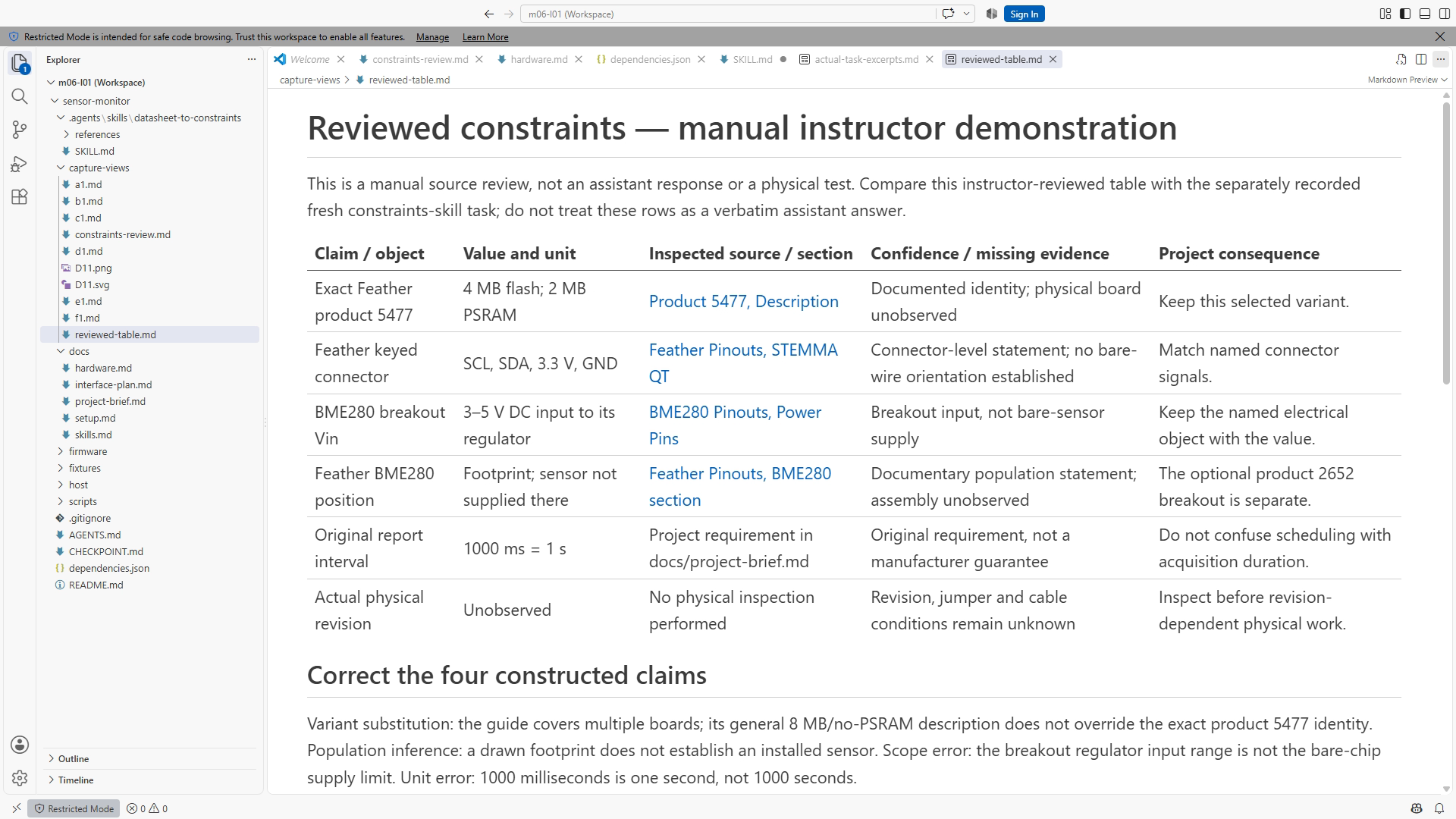
Ask the constraints skill for claim, value/unit, source section, confidence or missing data, and consequence. Keep the request bounded to the intended interface. A useful output might identify the exact memory variant, connector signals, default address, and unresolved physical jumper state. Review each factual row against the actual section. The consequence is your design interpretation, so label any inference.
The Feather guide describes its STEMMA QT signals and an unpopulated BME280 footprint. The separate breakout guide describes the sensor's address configuration. Neither establishes that a particular unseen assembly is connected or populated. Avoid combining a footprint label, a familiar address, and a confident answer into an invented physical observation. Feather pinouts, BME280 pinouts.
Preserve units and conditions when extracting. The original teaching statement “1000 ms reporting interval” means one second; it is not a measurement of bus latency. A typical number is not automatically a guaranteed limit. When the source does not establish a pin or condition, write the missing item and the decision it affects.
Complete the exercise by reviewing one deliberately mixed-scope proposal. The observable check is a table that another reader can audit without searching an old chat. A valid skill file or a polished response is insufficient if a factual row remains unsupported.
Resources and completion
Use CP04, Chapter 12, docs/hardware.md, dependencies.json, and the project constraints skill. Figure references are SS12-01 and SS12-02. Complete the exercise, then consult the answer key (supplied separately). Keep actual source/agent observations distinct from the supplied example.
Recording transcript
An interface plan becomes useful when every connection and limit has an identifiable source. In this lesson, we will read the exact board and sensor documents and build a small constraints table. Open checkpoint four in a new exercise folder. You need the project documents and a browser or document viewer. You do not need the optional hardware on your desk.
Begin with identity, before looking for a pin number. Our documented example is the Adafruit Feather ESP32-S3, product five four seven seven, with four megabytes of flash and two megabytes of PSRAM. The product description distinguishes this from another memory variant. Keep that distinction in the project record because a familiar family name is not enough to choose the build configuration.
Now separate the objects in the proposed system. There is a sensor chip, a breakout that contains it, a host development board, and a software package that supports the selected board. Each has a different reference. A chip datasheet cannot tell you every connection on a carrier board. A board guide cannot automatically establish the assumptions of every library version.
Open the hardware reference in the project and follow its primary links. Record the document title, relevant section, and revision or pinned version when available. An access date is also useful for a web page, but it has a limited meaning. It says when the page was checked. It does not identify the manufacturing revision of a physical board you have not inspected.
Consider a supply statement. The bare sensor's supply limits describe its silicon connection. The breakout may include supporting circuitry, such as a regulator, and describe a different input connection. Both documents can be correct while their numbers have different scopes. The review question is therefore not simply whether two numbers match. It is whether they describe the same object and connection point.
This distinction is particularly important when an assistant combines several references into one answer. A fluent summary can omit the object name and leave a number that appears universally applicable. Keep the object in the table. If the source says breakout input, write breakout input. Do not shorten it to sensor voltage and then apply it somewhere the source did not address.
Check population separately from a drawing label. The Feather guide describes a BME280 footprint. A footprint identifies a place a component could occupy; it does not establish that your example includes the component. Our optional sensor is a separate breakout. An assistant should not turn the presence of a label into a claim that an unseen assembly already contains a working sensor.
Ask the constraints skill for a concise table. The columns are claim, value and unit, source section, confidence or missing information, and consequence. Keep the request focused on the interface decision. You are not asking for a driver implementation, a shopping list, or a wiring operation. A bounded output is easier to compare with the actual manufacturer sections.
Review the first factual row before moving on. Find its cited section and check the exact object, value, unit, and conditions. Then read the consequence as a project interpretation. A source can establish a memory variant; choosing the corresponding recorded target is our design action. Keeping those roles visible prevents a table from making the source appear to endorse every decision we make.
Units travel with values. Our original teaching note says the reporting interval is one thousand milliseconds, which is one second. A summary that changes this to one thousand seconds is wrong even though the same digits appear. The compiler may accept either number. A unit mistake must therefore be caught in the requirement and interpretation, not assumed to disappear during a successful build.
Conditions matter in the same way. A typical value is not automatically a guaranteed maximum. An operating range is not an accuracy claim. A representable increment is not proof that a physical measurement is correct to that increment. When a source includes a condition, preserve it beside the extracted number rather than hiding it in a paragraph the next reader might miss.
Include an explicit unknown in the table. Physical revision not observed is a useful statement when no physical inspection happened. A pin absent from the supplied material should remain unresolved. Explain which decision that missing evidence affects and what would resolve it. This is more actionable than a vague request to check everything, and more honest than filling the cell from a familiar example.
If two sources conflict, retain both identities and describe the disagreement. Do not average incompatible values or choose whichever appears more familiar. Determine which source applies to the exact variant and pinned software. If the necessary section is unavailable, keep the relevant decision open. Other supported parts of the plan can still be completed while that question remains explicit.
Your exercise includes a proposal that mixes these mistakes. It treats all variants as equivalent, mistakes a footprint for a populated sensor, transfers a breakout statement to a bare chip, and loses a time unit. Mark each claim before rewriting the proposal. This makes the review traceable: the correction should follow from the identified evidence, not merely sound more cautious than the first version.
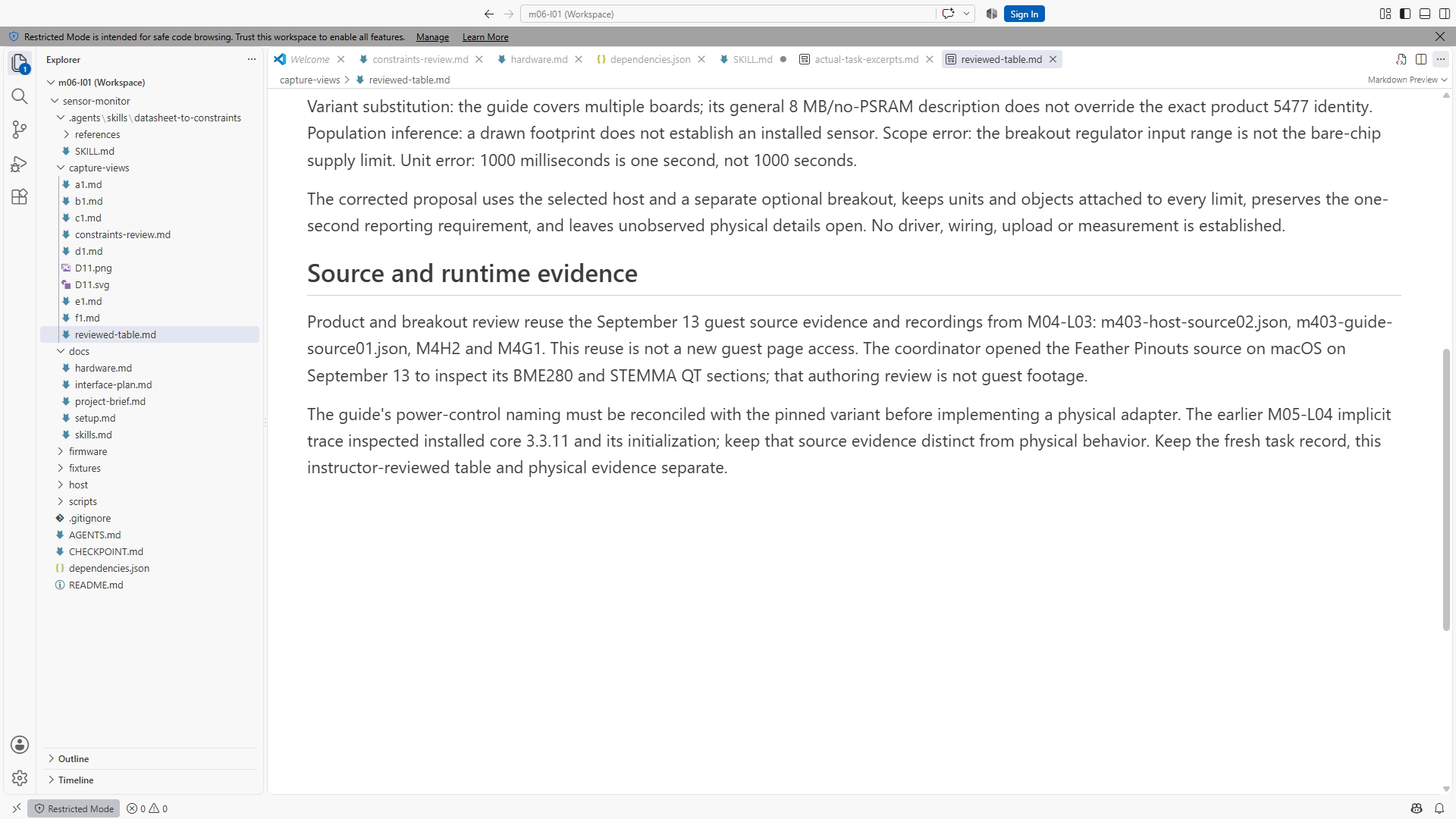
Preserve any actual skill response you use. A correctly packaged skill is not proof that it selected the right sources or extracted every value accurately. If the tool cannot run, complete the documentary review manually and record the model evaluation as open. Do not manufacture a conversation to make the lesson look finished. A manual source check and an agent behavior check are different records.
Finish with four to six reviewed rows and a short corrected proposal. Another engineer should be able to open each source, understand the object it describes, and see the consequence for this project. The next lesson turns that table into an interface plan. We will continue to keep documentary support, software execution, and physical observation distinct, so progress in one category never becomes an unsupported claim in another.
Download transcript