M03-L02 — Push, clone, and reproduce
Outcome: Synchronize intended history and reproduce the baseline from a second checkout.
Start: M03-L01; correct private remote, local commits, and CP01 toolchain.
Push transfers commits and requests a remote reference update. Fetch retrieves remote objects and updates local knowledge without integrating into your current branch. Pull includes integration; this course uses --ff-only where only a simple advance is intended. git push, git fetch, git pull
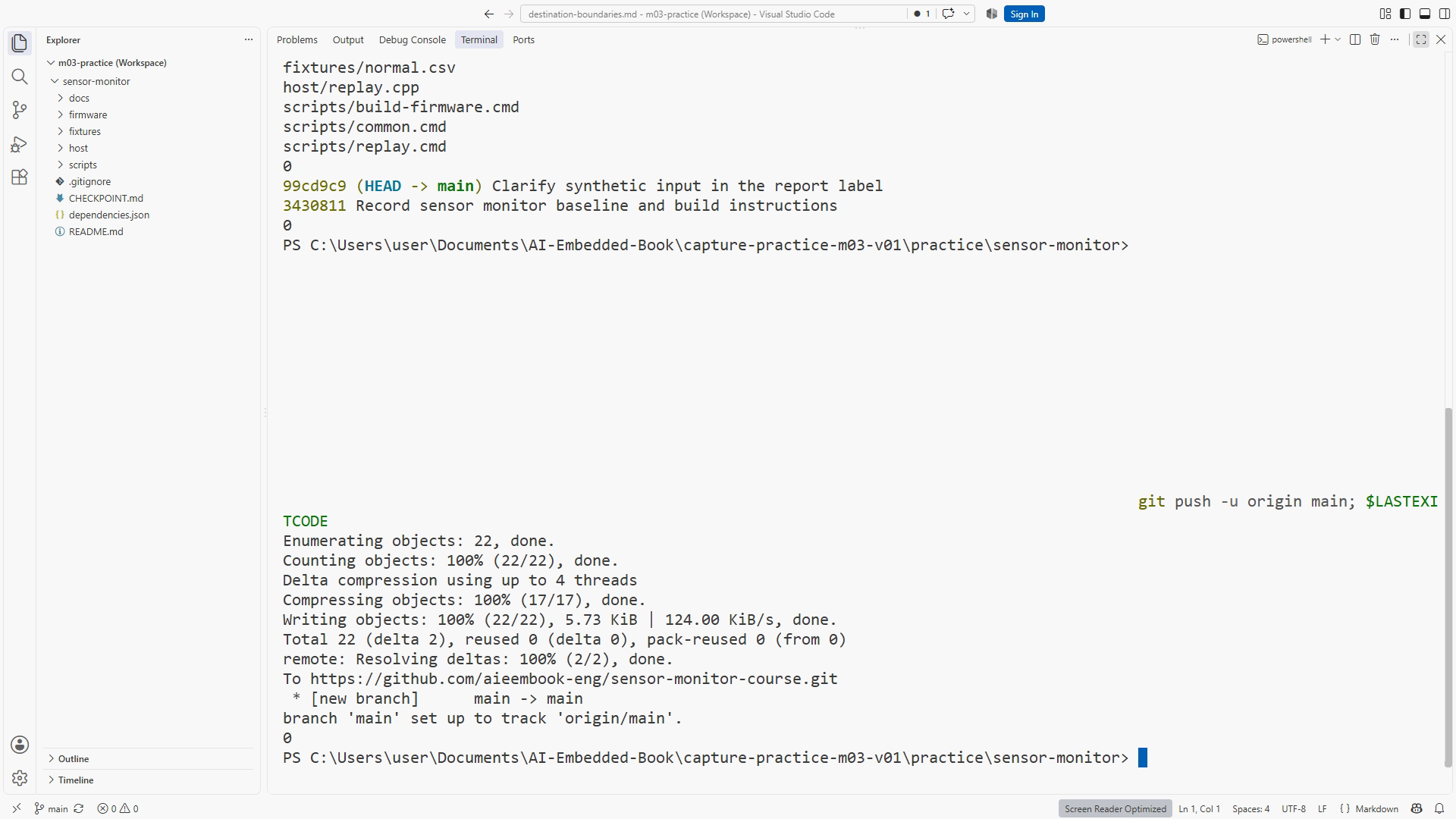
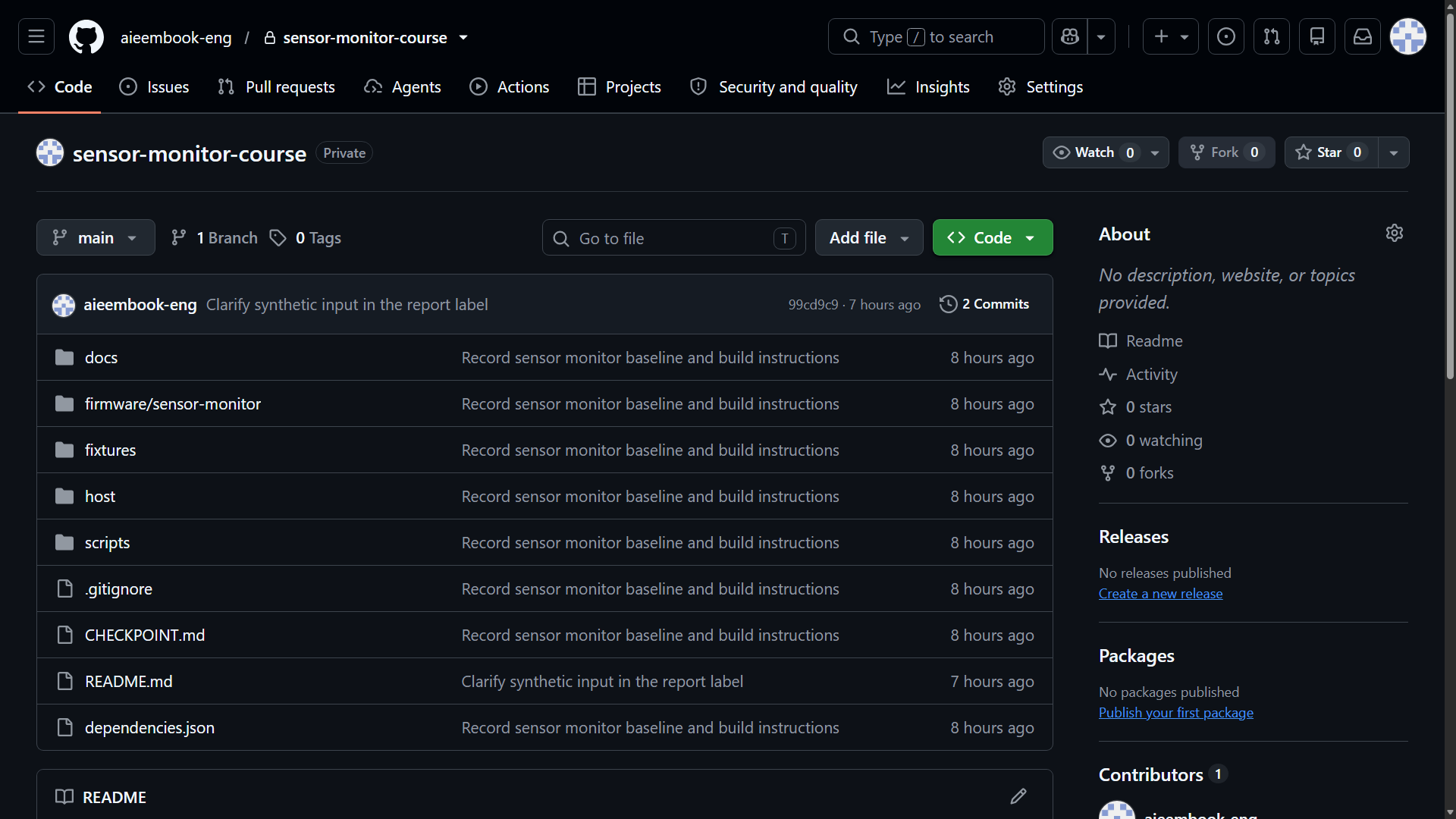
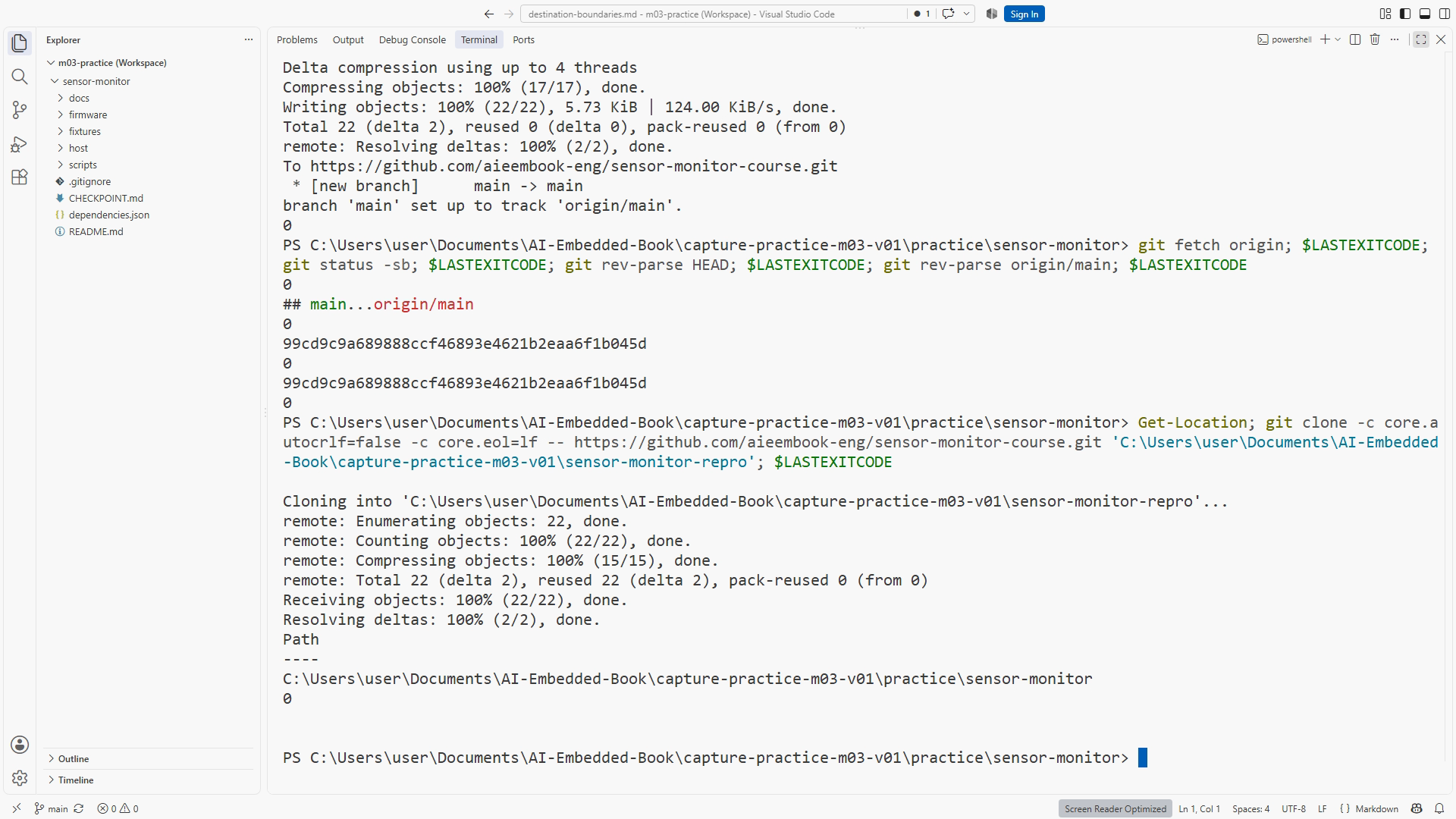
From the reviewed practice repository, run git push -u origin main, inspect the actual result, then fetch and inspect status/history. Open the hosted files and compare the latest commit with git rev-parse HEAD. This verifies the intended destination instead of relying on a successful-looking message beside the wrong browser tab.
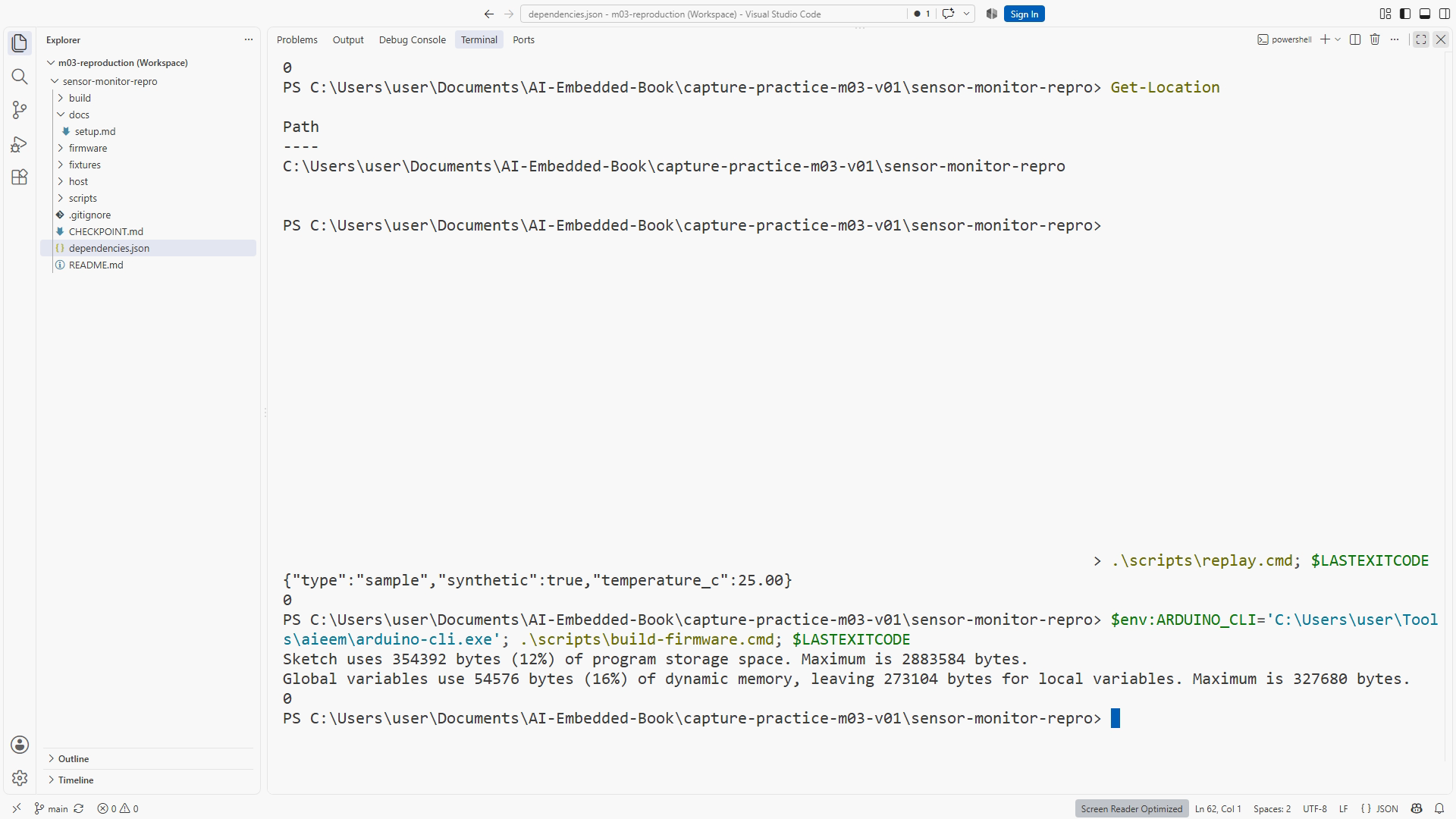
Clone the verified URL from the parent learning directory into a new sensor-monitor-repro folder. Do not reuse or delete an existing folder containing work. Enter the clone, inspect its location, status, and commit, then follow only its README:
.\scripts\replay.cmd
.\scripts\build-firmware.cmd
At CP01, replay prints a fixed synthetic source-reading baseline; the fixture parser and automated assertions arrive later. Record actual replay and build results without inventing tests absent from this checkpoint. A second checkout on the same computer reuses installed dependencies, so it checks tracked source/instructions in that environment, not a completely fresh machine.
If a push is rejected because the remote is ahead, fetch and inspect the graph before integration. If the clone lacks a required source file, add it deliberately to the original project and repeat the affected reproduction. If a dependency is missing, correct the setup record rather than copying installed binaries into source history.
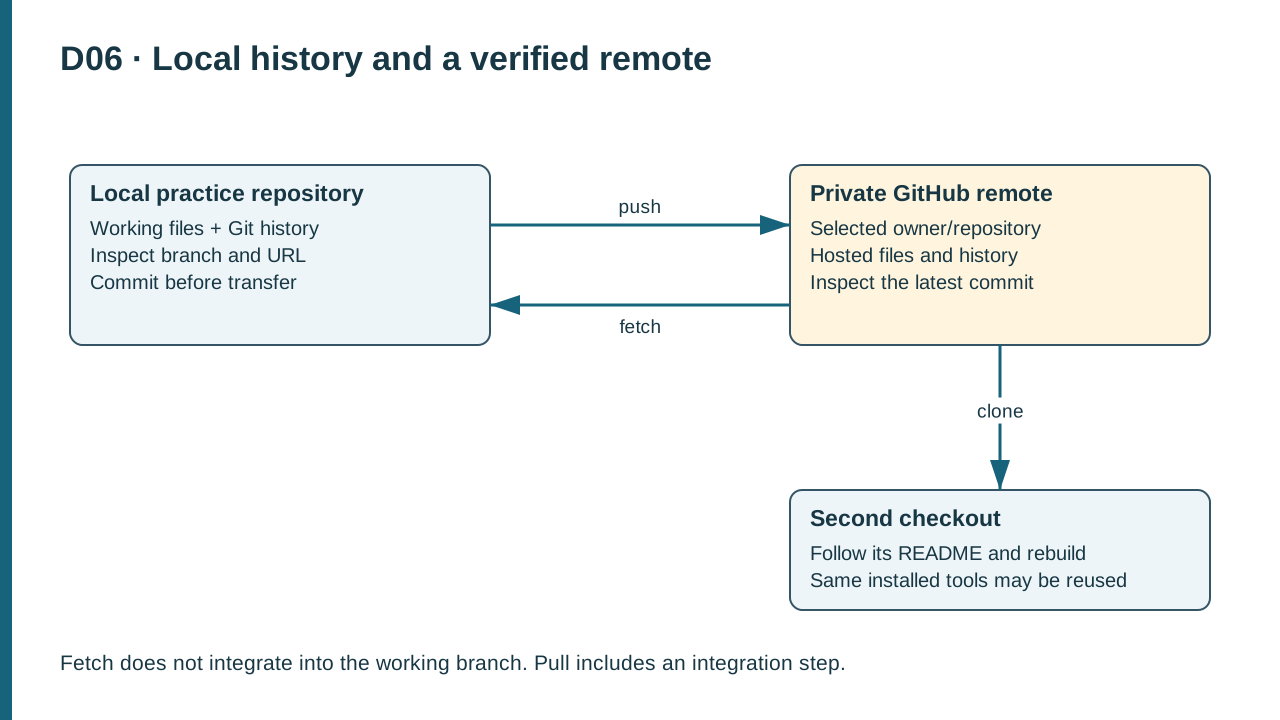
D06. Push sends commits to the remote; fetch retrieves remote knowledge without integration; clone creates a separate checkout for reproduction.
Practice and completion
Complete the exercise, then compare your artifact with the separately distributed instructor answer. A lesson acknowledgment records your own progress; it does not certify that a physical test occurred.
Chapter 6. Resources: Project checkpoint guide and toolchain setup. Figure references: SS06-03–06; D06.
Recording transcript
We have verified the private destination. Now we will transfer the local history and reproduce the project from a second checkout. This is more than a backup exercise. It tests whether the files and instructions you preserved are enough to repeat the baseline without relying on leftovers in the original working folder.
Start in the reviewed local practice repository. Check status, branch, and remote again if the state changed since the previous lesson. Run the push command with the upstream option for origin and main. Inspect the actual result. A successful-looking browser page is not a substitute for the terminal's transport result, and an error should remain visible in your record.
Push sends local commits and requests an update on the remote. The upstream option records a tracking relationship for the branch. That relationship makes later status information more useful, but it does not prove every future synchronization will be conflict-free. Other work can arrive on the remote after this operation.
Fetch has a different job. It retrieves remote objects and updates your local knowledge of remote references without integrating them into the current working branch. This makes it useful before deciding how to incorporate changes. Pull includes integration. In simple cases where the branch should only advance, the fast-forward-only option stops instead of creating an unexpected merge.
After the push, open the hosted repository and inspect the README and recent history. Compare the latest commit identifier with the local rev-parse result shown in the written lesson. Make sure the browser is on the intended owner and repository. This cross-check catches a surprisingly easy mistake: a correct push viewed beside a stale or unrelated repository tab.
Now leave the original working directory. Open a terminal in the parent learning folder and clone the verified URL into a new folder named sensor-monitor-repro. If that destination already contains work, choose another new name. Do not delete a useful folder simply because an example command expects an empty destination.
Enter the new checkout and run Get-Location, Git status, and the commit inspection. The location should be the new folder. The initial working tree should be clean, and the commit should match the intended synchronized history. These observations establish where the following commands will run and which source they will use.
Follow only the new checkout's README and dependency record. Resist the temptation to open a remembered terminal in the original folder. For CP01, run the replay command wrapper and firmware build wrapper separately. This checkpoint has a minimal source-reading baseline. It does not yet contain the later fixture parser, policy tests, or configurable alert behavior.
Read the replay result. CP01 prints a fixed JSON sample explicitly marked synthetic. That output is useful evidence that the host baseline compiled and ran in the new checkout. It is not a temperature measured by a connected sensor. Keep the origin label with the saved result so that a later reader does not have to infer how the input was produced.
Read the firmware build result separately. The target options are part of the input, so use the configuration in the matching release. A successful cross-build establishes compilation for that target and toolchain. It does not establish an upload, electrical communication, sensor accuracy, or physical timing. Those are different observations in optional hardware work.
A second checkout on the same computer has a useful limit. It reuses installed tools and dependencies. It can reveal a missing tracked header, an uncommitted script, or reliance on the original folder's generated files. It does not prove that the setup instructions work on a completely empty machine. Write that limitation rather than overstating a valuable but bounded check.
Suppose the build fails because a required source file is missing from the clone. Inspect the tracked-file list and compare with the original. If the file belongs in source, add it deliberately, explain the correction, synchronize, and repeat the affected check from clean source. The failed reproduction has identified an actual omission; it is not wasted effort.
Suppose instead that the compiler is not found. That is a dependency or path problem. Follow the documented installation and wrapper configuration. Do not copy an arbitrary installed executable into the repository merely to make the second folder build. The source history should point to reproducible dependencies, while the setup record identifies what was installed and tested.
If a push is rejected because the remote is ahead, preserve local work, fetch, and inspect the graph. A fast-forward-only pull can handle a simple advance when no unique local commits conflict. Divergent history needs review and integration, which the next lessons teach. Force-push is not the generic answer to a state you have not inspected.
Your reproduction record should name the URL without credentials, commit, destination folder, tool versions, commands, exit results, and limitations. Keep output that actually occurred. Do not replace a failure with a screenshot from the original checkout. A useful record lets another person understand both the result and its scope.
If a second checkout succeeds only because you manually copied generated output from the first, record that as a failed reproduction attempt. The point is to reconstruct the executable from committed source and documented dependencies. Existing artifacts can be useful for comparison, but they should not conceal a missing build step. A clean reproduction may still use cached dependency downloads; identify that reuse honestly while ensuring the project itself is rebuilt in the new location.
Complete the exercise by reproducing the baseline from your second folder using the written instructions. If a step was missing, correct the documentation and rerun only the affected checks. You are ready to advance when the intended history is synchronized and the second checkout produces its applicable software evidence. Next we will use a feature branch to review an agent change before accepting it.
Download transcript